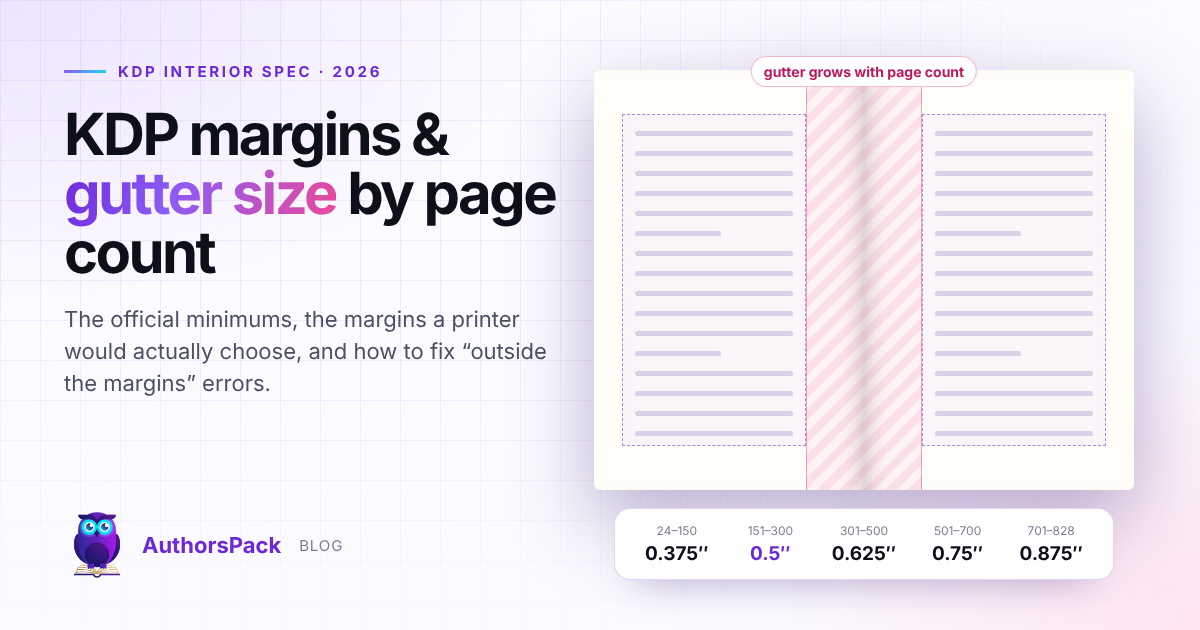
KDP requires an inside (gutter) margin of 0.375 in for books of 24–150 pages, 0.5 in for 151–300, 0.625 in for 301–500, 0.75 in for 501–700 and 0.875 in for 701–828 pages. Top, bottom and outside margins must be at least 0.25 in without bleed, or 0.375 in with bleed.
Margins are the most common reason a KDP paperback is held back at upload. The rules are short, but they depend on something most authors only learn after typesetting — the final page count — and the minimums KDP publishes are not the margins a production editor would choose. This guide gives the official figures, the margins that make a book comfortable to read, worked examples for the most popular trim sizes, and the fixes for KDP's margin errors.
The KDP margin table
KDP sets the inside margin (the gutter, nearest the spine) by page count. The outside, top and bottom margins have one minimum, which depends only on whether the interior has bleed.
| Page count | Inside (gutter) | Outside, top, bottom — no bleed | Outside, top, bottom — with bleed |
|---|---|---|---|
| 24–150 | 0.375 in (9.6 mm) | 0.25 in (6.4 mm) | 0.375 in (9.6 mm) |
| 151–300 | 0.5 in (12.7 mm) | 0.25 in (6.4 mm) | 0.375 in (9.6 mm) |
| 301–500 | 0.625 in (15.9 mm) | 0.25 in (6.4 mm) | 0.375 in (9.6 mm) |
| 501–700 | 0.75 in (19.1 mm) | 0.25 in (6.4 mm) | 0.375 in (9.6 mm) |
| 701–828 | 0.875 in (22.3 mm) | 0.25 in (6.4 mm) | 0.375 in (9.6 mm) |
Three details in KDP's guidance are easy to miss. The margins apply to every page of the interior file, including front matter and blank pages. Top, bottom and outside margins do not have to match each other, as long as each meets the minimum. And because the inside margin depends on page count, KDP advises setting your trim size first and margins second.
Why the gutter grows with page count
A perfect-bound paperback never opens flat. The inner edge of each page curves down into the binding, and the thicker the book, the deeper that curve. A 120-page book loses only a sliver of its inside margin to the fold; a 600-page book loses much more. KDP's sliding scale is the minimum that keeps text from disappearing into the spine — which is why the most common margin failure is a book that grew past a page-count threshold after its margins were set.
Minimum vs recommended margins
KDP's numbers are minimums for printing safely, not targets for good design. A 0.25 in outside margin technically passes, but the text runs almost to the edge, readers' thumbs cover words, and the page looks crowded. Professionally typeset books use noticeably wider margins.
| Margin | KDP minimum | AuthorsPack house standard (trims under 7 in wide) | IngramSpark recommendation |
|---|---|---|---|
| Inside (gutter) | 0.375–0.875 in by page count | KDP minimum + 0.125 in, never under 0.625 in | 1 in |
| Outside | 0.25 in | 0.55 in | 0.5 in |
| Top | 0.25 in | 0.7 in | 0.5 in |
| Bottom | 0.25 in | 0.75 in | 0.5 in |
The extra 0.125 in on the gutter is a deliberate buffer: KDP's own help pages suggest margins slightly larger than the minimums, partly because some italic characters overhang their text box and can trip the margin check. A bottom margin a little larger than the top also looks better balanced, because the eye reads the optical centre of a page as slightly above the true centre.
Margins with and without bleed
Most novels and nonfiction books have no bleed: nothing is printed to the edge of the page, the PDF is exactly the trim size, and the outside, top and bottom minimum is 0.25 in.
Choose bleed only if images or background colour must run to the edge. Then:
- The PDF page is 0.125 in wider and 0.25 in taller than the trim — bleed is added to the outside edge, top and bottom, not the spine side. A 6 × 9 in book becomes a 6.125 × 9.25 in PDF.
- Edge-to-edge images should extend 0.125 in beyond the trim line.
- The outside, top and bottom minimum rises to 0.375 in, measured from the trim, so text stays clear of the cut.
- A file with bleed must be uploaded as a PDF.
Worked examples
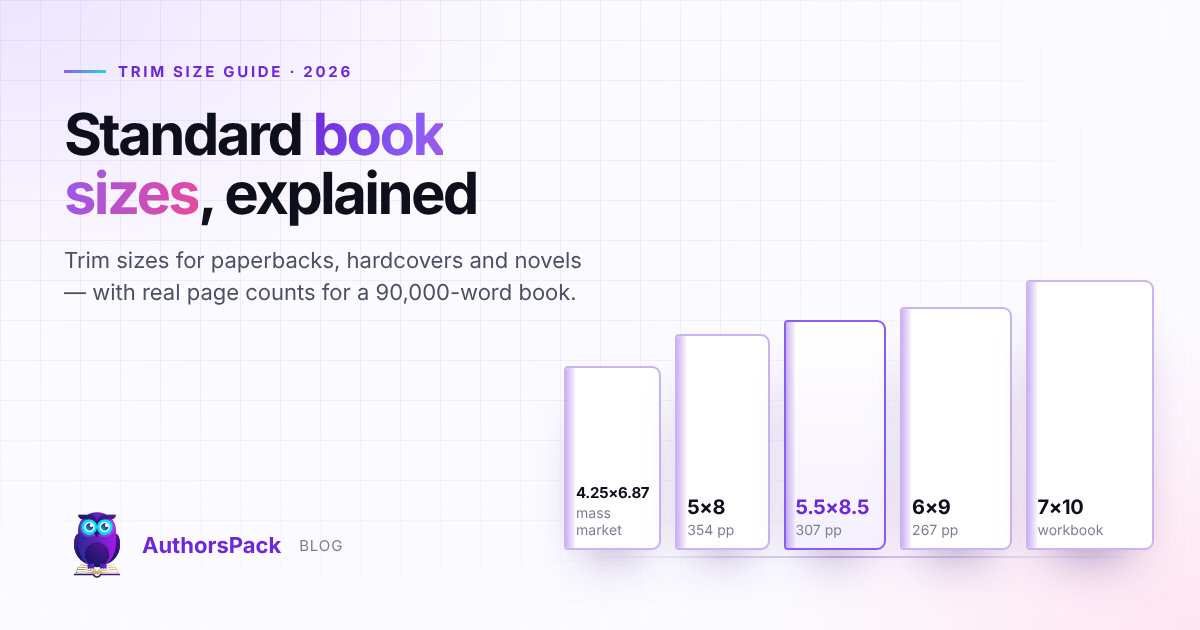
These use page counts measured on the Formatting Press for our 91,490-word test novel. For context on choosing a trim, see standard book sizes.
| Book | Pages | KDP inside min. | Inside set | Outside / top / bottom set |
|---|---|---|---|---|
| 6 × 9 in, Literata 10.5 pt, no bleed | 267 | 0.5 in | 0.625 in | 0.55 / 0.7 / 0.75 in |
| 5.5 × 8.5 in, EB Garamond 11.5 pt, no bleed | 271 | 0.5 in | 0.625 in | 0.55 / 0.7 / 0.75 in |
| 5.5 × 8.5 in, Literata 10.5 pt, no bleed | 307 | 0.625 in | 0.75 in | 0.55 / 0.7 / 0.75 in |
| 5 × 8 in, Literata 10.5 pt, no bleed | 354 | 0.625 in | 0.75 in | 0.55 / 0.7 / 0.75 in |
Note the third row. Changing only the typeface took the same manuscript on the same trim from 271 to 307 pages, across the 300-page line, so the minimum gutter rose from 0.5 to 0.625 in. Any change to type, trim or front matter can move a book between bands.
An 8.5 × 11 in workbook
A 120-page workbook at 8.5 × 11 in needs a 0.375 in gutter by KDP's rules, but on a large page we would set at least 0.75 in inside and outside, leaving writing room away from the spine. Remember the lower page limits for this size: 590 pages on white paper, 550 on cream.
Setting margins in Microsoft Word
- 1Set the paper size first
Layout › Size › More Paper Sizes: enter your trim size, plus 0.125 in width and 0.25 in height if you need bleed.
- 2Turn on mirror margins
Layout › Margins › Custom Margins, set Multiple pages to “Mirror margins” so Inside and Outside alternate correctly between left and right pages.
- 3Enter the margins
Use the inside value for your page-count band (plus a buffer) and at least the minimum on the outside, top and bottom. If you also use Word's Gutter field, remember it adds to the inside margin — the total is what KDP measures.
- 4Apply to the whole document
Choose “Whole document”, then check that section breaks have not reset the margins for later chapters.
- 5Export a PDF with fonts embedded
KDP requires all fonts to be embedded. Re-check the final page count, and adjust the gutter if it crossed a band.
Fixing “outside the margins” errors
KDP's Print Previewer flags any content that sits outside the margins. If it fixes the file for you, it does so by scaling the content down, which shrinks your type — so it is better to fix the source. KDP's help pages list these causes:
| Cause | Fix |
|---|---|
| Hidden spaces at line ends count as text | Show formatting marks (Ctrl+Shift+8 in Word) and delete trailing spaces |
| Italic letters overhanging the text box | Give margins a small buffer above the minimum |
| Leftover empty text boxes or art boxes | Select all objects on the page (Ctrl+A) and delete stray boxes |
| Background colour or images near the edge | Set Bleed Settings to “Bleed” and size the PDF for bleed |
| Margins too small for the final page count | Increase the inside margin to your page-count band |
| Only some pages are scaled | Those pages contain hidden characters or boxes — inspect them individually |
Pre-upload margin checklist
- Final page count confirmed, including front matter and blank pages
- Inside margin meets that page count's band, plus a buffer
- Outside, top and bottom at least 0.25 in (no bleed) or 0.375 in (bleed)
- Mirror margins on, applied to every section
- PDF size equals the trim — or trim + 0.125 × 0.25 in with bleed
- All fonts embedded; no type smaller than 7 pt
- No hidden spaces, empty boxes or objects near the edges
Sources
- Paperback Submission Guidelines — Amazon KDP Help
- Set Trim Size, Bleed, and Margins — Amazon KDP Help
- Fix margin issues in your manuscript — Amazon KDP Help
- Available Trim Sizes, Bindings for Covers, Interior Papers for Print Books — IngramSpark Help Center
Page counts and margins marked “AuthorsPack measured data” were produced by typesetting a 91,490-word, 37-chapter test manuscript on the AuthorsPack Formatting Press in October 2026.